
JSON to XML Converter: Turn API Data Into Clean XML Instantly, Free Online Tool (2026)
🔄 JSON to XML Converter
Paste JSON, get clean, valid XML instantly. Free, private, works entirely in your browser.
Copying JSON between systems is easy until you hit an old API, a legacy CMS, or a client contract that only accepts XML. The free JSON to XML converter above handles that switch in seconds, right in your browser.
What is a JSON to XML Converter?
A JSON to XML converter takes structured JSON data, the format most modern APIs return by default, and turns it into XML, the format many older systems and enterprise tools still expect. You paste your JSON, click convert, and get clean, properly nested XML tags back.
Developers run into this constantly. Maybe you’re pulling data from a REST API but need to feed it into a SOAP service. Maybe your marketing team’s CMS only imports XML feeds. Maybe you’re building an RSS or sitemap file and your source data lives in JSON. This tool bridges that gap without writing a single line of conversion code yourself.
You will also see this come up during data migrations. A company switching from an old inventory system to a modern one often has years of records stuck in XML, while the new platform exports everything as JSON. Someone has to translate between the two, and doing that by hand for anything beyond a tiny file is slow and full of small mistakes. A converter takes that manual work off your plate entirely.
How to Use JSON to XML converter Tool
- Paste your JSON into the input box on the left side of the JSON to XML converter.
- Set a custom root element name if you want something other than the default “root” tag.
- Choose whether to include the XML declaration line at the top of your output.
- Click “Convert to XML” and watch the output appear instantly on the right.
- Check the stats bar for input characters, output characters, and total XML nodes created.
- Click “Copy Output” to grab the XML and paste it wherever you need it.
- Hit “Clear” to reset everything and start a fresh conversion.
There is no file upload step and nothing gets sent to a server. The conversion runs directly in your browser, so you can paste sensitive data without worrying about where it ends up. This also means the JSON to XML converter works just as fast whether you are converting five lines or five hundred.
Why JSON to XML Conversion Still Matters in 2026
JSON won the popularity contest years ago, and most new APIs, mobile apps, and JavaScript frameworks lean on it by default. But XML never actually disappeared. Banking systems, government data feeds, older enterprise software, and a huge chunk of B2B integrations still run on XML because it was the standard long before JSON existed, and rewriting that infrastructure costs more than most companies want to spend.
This means developers and marketers regularly sit in the middle, pulling data in one format and needing to hand it off in another. SEO teams generating XML sitemaps from a JSON based CMS export run into this. Developers connecting a modern app to a twenty year old SOAP endpoint run into this too. Knowing how to convert cleanly, without breaking nested structures or losing array data, is still a practical daily skill, not a relic.
Regulated industries make this even more common. Healthcare data standards, tax filing systems, and many government reporting requirements are still built around XML schemas, because those standards were locked in decades ago and changing them now would mean rewriting compliance rules across an entire industry. If your job touches any of that, a reliable JSON to XML converter is not a nice extra. It is a tool you will reach for on a regular basis.
Handling Arrays, Nested Objects, and Special Characters
The tricky part of any JSON to XML conversion is structure. JSON arrays do not have a direct XML equivalent, so this JSON to XML converter repeats the parent key as a tag for each array item. A JSON array like tags containing SEO and API becomes two separate tags elements, which is the convention most XML parsers expect.
Nested objects convert into nested tags automatically, so a JSON object three levels deep produces XML three levels deep, properly indented for readability. Special characters get escaped correctly too. An ampersand becomes the correct entity code, a less than sign gets escaped, and quotes get converted so your XML stays valid and does not break downstream parsers. Null values convert into self closing tags instead of empty text, which matches how most XML schemas handle missing data. Keys that start with a number or contain spaces get automatically cleaned up, since XML tag names have stricter rules than JSON keys do.
You also get to choose the root element name before converting, which matters more than people expect. Some receiving systems reject a file if the root tag does not match their schema, so setting it to something like “catalog” or “feed” saves you an extra manual edit later. The optional XML declaration line works the same way. Some parsers need it, some do not, so toggling it saves a step either way.
Common Mistakes to Avoid
- Forgetting that XML tag names cannot start with a number or contain spaces, which causes invalid output if you are building XML by hand instead of using a converter.
- Assuming arrays convert into a single wrapped list element. Most XML tools, including this one, repeat the key name for each item instead.
- Skipping validation after conversion. Always double check the output structure matches what your receiving system expects, especially with deeply nested JSON.
- Ignoring the XML declaration line. Some strict parsers reject XML files that do not start with the proper header line.
Paste your data into the JSON to XML converter above and get clean, ready to use XML in seconds, no downloads or sign ups needed.
Related Tools on ToolsStackPro:
- JSON Diff Checker: Spot Every Change Between Two JSON Files, Free Online Tool (2026)
- API Response Beautifier: Format, Validate, and Minify JSON and XML, Free Online Tool (2026)
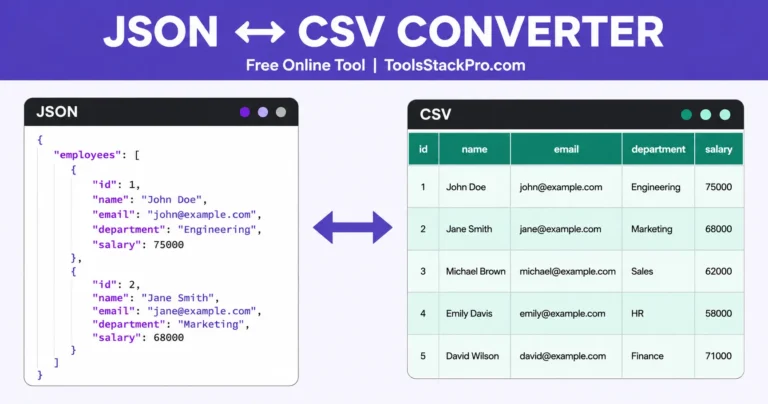
- JSON to CSV Converter: Switch Formats Fast With This Free Online Tool (2026)
- Free Online JSON Formatter & Validator – Clean, Format & Fix JSON Data 2026
One Comment