
JSON Schema Generator: Build Structural Specifications Instantly Free Online Tool (2026)
⚡ JSON Schema Generator
Convert your raw JSON objects into valid, production-ready JSON Schema (Draft-07) instantly.
Building modern web applications requires structural contracts between backend systems and frontend client viewports. Managing these data patterns manually often leads to typing bugs or mismatch errors. The free JSON Schema Generator tool embedded right above solves this issue by instantly parsing your raw database payload variables into standardized draft contracts.
What is JSON Schema Generator?
A JSON Schema Generator is a specialized digital utility that converts standard JavaScript object notation payloads into descriptive formal contracts. Instead of writing dozens of metadata tracking lines by hand, engineering specialists paste an example document directly into the viewport interface. The underlying system evaluates the properties, registers value classifications, and outputs a complete contract structure file within seconds.
Modern production systems rely on these schemas for integration testing pipelines and request body validations. For example, when third party software connects to your custom application interfaces, data structures must follow exact property limits. Our JSON Schema Generator serves as a foundational companion piece during live API configuration sprints, transforming real world mock objects into robust template parameters without manual intervention.
How to Use This Tool
Operating this utility takes minimal effort because the logic processing happens completely locally inside your internet browser.
- Gather an example raw data string containing the system fields your API operations typically pass around during a normal request cycle.
- Paste the data block into the top input container workspace where the clear placeholder text guide rests.
- Click the purple command option titled Generate Schema on our JSON Schema Generator to begin processing.
- Review the structural validation tree template that manifests instantly within the lower responsive module area.
- Click the green execution option labeled Copy Schema to save the complete layout sequence directly onto your physical operating clipboard.
If your raw parameters possess syntax issues like trailing commas or dropped brackets, the JSON Schema Generator interface will display an inline message describing the precise parsing constraint instantly.
Why JSON Schema Validation Matters in 2026
Modern cloud environments handle billions of decoupled microservice transmissions every hour, making systematic format verification a nonnegotiable software requirement. Relying on blind service endpoints introduces profound stability challenges because a single rogue field naming shift can down an entire user funnel. Establishing explicit structural models with a JSON Schema Generator ensures your software ecosystem rejects bad data payloads before corruptive variables reach internal databases.
Furthermore, development speed depends heavily on automated testing mechanics. When backend engineer profiles output fresh application interface setups, frontend teams immediately require accurate definitions to craft matching system actions. Running payload drafts through a dedicated JSON Schema Generator allows multi person teams to instantly align on system properties without endless engineering meetings or manual spec manual tracking. Using a JSON Schema Generator keeps everyone organized.
Advanced Structural Rules and Metadata Tips
While standard automated conversion delivers an incredible baseline contract map, true production grade schemas often demand explicit property boundaries. The default draft standard architecture generated by our JSON Schema Generator script marks discovered keys as required parts to protect structural integrity. When incorporating this template inside standard libraries like Ajv or custom system interceptors, configuring exact constraints yields far cleaner error feedback logs.
JSON:
{
  "type": "object",
  "properties": {
    "userEmail": {
      "type": "string",
      "format": "email",
      "minLength": 5
    }
  }
}
To take maximum advantage of the output format, augment your final saved code blocks by including property type restrictions like minimum values for integers or regex pattern constraints for strings. This explicit structural strictness prevents empty inputs from getting processed by your core app machinery.
Common Mistakes to Avoid
- Avoid using miniature single item payload strings when initializing your baseline conversions. Passing a rich object model that features every potential parameter ensures the system maps all structural fields in one single pass.
- Do not forget to review nested dictionary values containing variable item data groups. Arrays with mixed values might default schemas strictly to the first array block item data configuration type.
- Never push raw schema conversions straight to operational live deployments without checking the mandatory required key listings. Remove keys that contain optional fields to prevent validation runs from dropping valid incoming user transmissions.
- Avoid ignoring character spacing changes when transferring template models between distinct operating systems or platform text handlers.
Utilize the provided generator framework to rapidly accelerate code modeling tasks and protect system workflows. Drop your raw properties inside the application container workspace above to verify your structural configurations immediately.
Related Tools on ToolsStackPro:
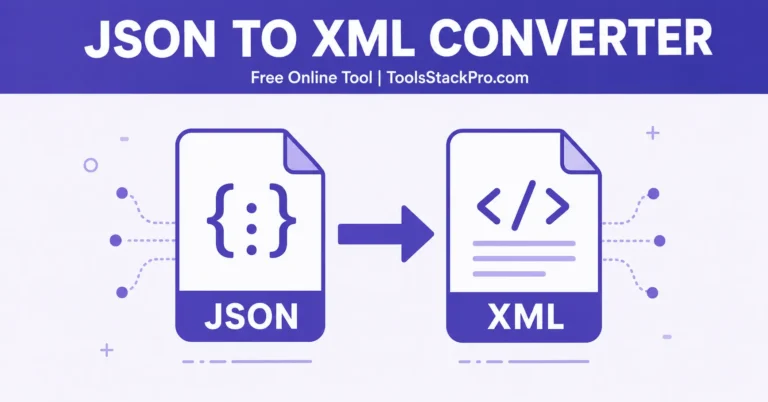
- JSON to XML Converter: Turn API Data Into Clean XML Instantly, Free Online Tool (2026)
- JSON Diff Checker: Spot Every Change Between Two JSON Files, Free Online Tool (2026)
- API Response Beautifier: Format, Validate, and Minify JSON and XML, Free Online Tool (2026)
- JSON to CSV Converter: Switch Formats Fast With This Free Online Tool (2026)
- Free Online JSON Formatter & Validator – Clean, Format & Fix JSON Data 2026

One thing I like is that the tool focuses on generating a DraftBlog Comment Creation Guide-07 schema from sample JSON, which can save a lot of time compared to writing the structure manually. It could also be helpful to mention how it handles nested objects, arrays, and optional fields, since those are often the areas where schema generation becomes most valuable in real-world projects.