
Base64 Encoder / Decoder: Convert Data Safely Using Our Free Online Tool (2026)
⚙️ Base64 Encoder / Decoder
Convert plain text to Base64 format or decode Base64 back into human-readable text instantly.
Managing raw data structures during normal web development workflows requires reliable utilities that do not complicate operations. The free Base64 Encoder / Decoder placed above delivers immediate processing for text transformation tasks right inside the web window. Utilizing local logic execution ensures that no text payloads migrate across remote digital networks while converting items.
What is Base64 Encoder / Decoder?
A Base64 Encoder / Decoder serves as a functional utility designed to transform traditional alphabetic information into a specialized set of sixty-four unique printable characters. This format uses uppercase letters, lowercase letters, numbers, and two specific mathematical marks to represent binary variations within standard text configurations. When you use a Base64 Encoder / Decoder, developers can safely embed raw image data directly into style sheets or transfer sensitive script headers through pathways that generally dislike standard binary parameters.
Marketers also encounter these scenarios when managing specific tracking configurations or working inside complex content delivery workflows. Having a clean Base64 Encoder / Decoder tool to read hidden code strings or prepare special code elements removes significant guesswork from routine maintenance procedures. This web-based Base64 Encoder / Decoder bridges the functional gap between complex asset storage configurations and direct human evaluation.
How to Use This Base64 Encoder / Decoder Tool
Operating the interface takes minimal effort and delivers instantaneous outcomes without requiring specialized technical training. The following routine covers the standard conversion options available in our interactive Base64 Encoder / Decoder container area.
- Select the target mode button to define if you want to encode plain language text or decode an existing obfuscated system value.
- Type or paste your target information block into the main operational input container area.
- Observe the dynamic character counter metric tracking your total input volume in real time.
- Press the primary action processing button to initialize the native conversion scripts instantly.
- Review the resulting translation displayed clearly within the dynamic output container zone.
- Press the green confirmation copy button to save the fresh text string directly onto your clipboard structure.
- Tap the grey secondary clearing switch whenever you need to strip the workspace fields for another data operation.
Why Base64 Encoding Matters in 2026
Modern software engineering frameworks rely heavily on microservices that communicate constantly through complex API channels. Transmitting complex assets across these disparate networks requires protocols that prevent standard transmission routers from mangling unusual symbol sets. Our online Base64 Encoder / Decoder solves this problem by mapping binary values to safe, standard character sets that every communication platform respects.
API integrations frequently leverage these conversions to handle simple authentication headers without invoking huge security wrappers for basic identity validation. Passing structured configuration values inside basic URL properties also becomes significantly safer when standard tracking symbols get packed into regular alphanumeric arrays. Relying on a standard Base64 Encoder / Decoder keeps your operational links clean while ensuring destination applications read the parameters correctly.
Data integrity during visual media deployment relies heavily on this conversion process. Modern responsive websites often utilize small inline images encoded directly into structural markup documents to minimize initial HTTP handshake overhead. This specific layout optimization removes separate hosting calls for critical decorative elements, which speeds up content paint metrics for users visiting via slower cellular connections.
Breaking Down Technical Operations and Text Standards
The underlying script mechanism relies on converting traditional eight-bit data chunks into distinct six-bit operational tokens. Every group of three native bytes gets reorganized into four separate Base64 alphanumeric values. Because this specific mathematical allocation expands total structural size by approximately thirty-three percent, running a Base64 Encoder / Decoder utility for huge visual items can sometimes degrade asset delivery speeds rather than improve performance metrics.
Understanding this systemic weight distribution helps engineers make better architecture choices when structuring modern software platforms. The process is not designed to obscure data or act as a primary security perimeter against malicious actors. It simply acts as a standard formatting utility that ensures your transmission streams remain completely intact regardless of the routing hardware handling the packets.
Our browser utility addresses standard international text variables by handling UTF-8 symbols natively. Traditional browser methods often fail when processing specialized emoji glyphs or unique non-English accents, which results in frustrating translation script errors. The script logic embedded inside our Base64 Encoder / Decoder avoids this entirely by preparing wide-character configurations properly before modifying the foundational string structure.
Common Mistakes to Avoid
- Confusing Encoding With Encryption: Never treat converted text strings as secure records. Base64 is an open format designed for readability and compatibility rather than data protection, meaning anyone can translate the text back in a single click.
- Ignoring Structural Data Inflation: Do not transform huge high-resolution images into inline strings. The resulting payload files will bloat your stylesheets and HTML pages, causing severe page load delays for your visitors.
- Overlooking Clean String Padding: Ensure your incoming data strings maintain the proper trailing padding symbols when decoding information. Dropping the essential trailing equals signs will break the processing logic and cause calculation errors inside your development environments.
- Failing to Sanitize White Space: Copying structural text blocks out of raw PDF logs or styled email fields can inject invisible spacing fragments. Always strip away hidden formatting indents to prevent script validation failures during decoding processes.
Ensuring your development assets follow clean structural conversion standards prevents configuration bugs from slipping into production environments. Use the interactive Base64 Encoder / Decoder tool positioned above to quickly handle your data conversion processes safely and accurately today.
Related Tools on ToolsStackPro:
- CSS Minifier and Beautifier: Compress or Format Your Code Free Online Tool (2026)
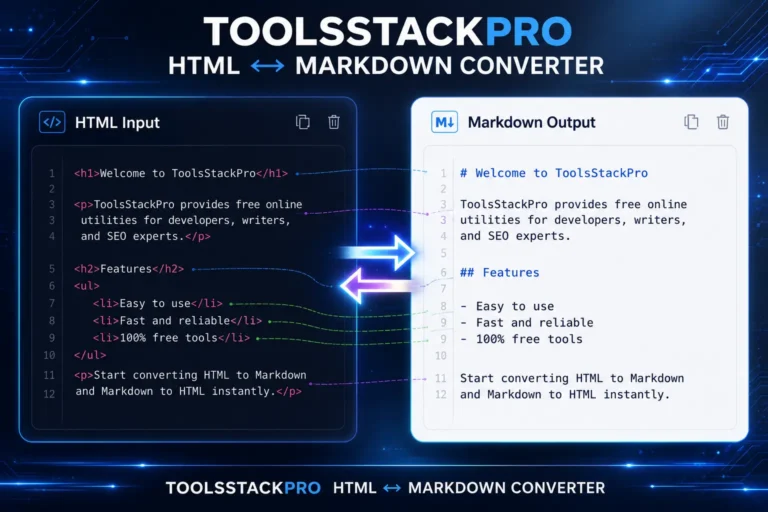
- HTML to Markdown Converter Free Online – Real-Time Formatting 2026
- UTM Link Builder: Generate Trackable Marketing URLs Free Online Tool (2026)
- Robots.txt Generator: Build Crawl Rules Fast, Free Online Tool (2026)
- Meta Tag Generator & Preview: Optimize Your Website Snippets Free Online Tool (2026)



I like that the tool performs the encoding and decoding directly in the browser instead of sending the data elsewhere, since that makes it more practical for everyday development tasks. One thing that could make the article even more useful would be a brief explanation of when Base64 is appropriate versus when it shouldn’t be used, because it’s easy for beginners to mistake encoding for encryption.