
HTML to Markdown Converter Free Online – Real-Time Formatting 2026
HTML ↔ Markdown Converter
Convert HTML to Markdown or Markdown to HTML instantly — free, no signup
Master Your Formatting: The Ultimate Guide to Using an HTML ↔ Markdown Converter
If you are looking for a reliable HTML to Markdown converter, you have come to the right place. In the modern digital landscape, content creators, web developers, software engineers, and digital marketers all share a common challenge: formatting content seamlessly across different platforms. While web browsers rely on HTML (HyperText Markup Language) to display structured text, writing raw HTML elements manually can be incredibly tedious.
Enter Markdown—a lightweight, plain-text formatting language designed to make writing for the web incredibly simple and fast. However, moving text back and forth between these two formats often turns into an annoying copy-paste headache.
That is exactly why an efficient HTML to Markdown converter is a non-negotiable asset in your productivity toolkit. Let’s dive deep into why this tool is vital, how the conversion works under the hood, and how you can optimize your publishing workflows.
What is an HTML to Markdown Converter?
An HTML to Markdown converter is a utility designed to translate hyper-structured web markup code into simplified, human-readable plain text syntax, and vice versa.
- HTML uses verbose opening and closing elements, such as
<strong>bold text</strong>. - Markdown achieves the same structural visual representation using intuitive symbols like
bold text.
By bridging the gap between these two formats, an online HTML to Markdown converter allows you to instantly transform rich webpage elements into cleaner documentation or adapt Markdown documentation straight into copy-pasteable blocks for web builders like WordPress.
Why You Need a Bi-Directional Converter Tool
Whether you spend your day writing software documentation on GitHub or drafting long-form affiliate marketing articles, converting markup manually is a massive waste of precious creative time. Utilizing a dedicated HTML to Markdown converter changes the game for several reasons:
1. Seamless WordPress & CMS Integration
Modern content management systems (CMS) like WordPress use block editors (Gutenberg). While these editors accept rich visual text, copy-pasting code from different development environments can easily break structural design grids, append inline CSS style junk, or mess up paragraph spacing. Translating text through a clean HTML to Markdown converter strips out unwanted formatting artifacts instantly.
2. Streamlining Technical Documentation
Technical writers frequently use Markdown to format layout files, wikis, and repositories on platforms like GitHub, GitLab, and Bitbucket. If you are scraping reference documentation, extracting text snippets from a live website, or reading an API response, pasting that HTML through a responsive HTML to Markdown converter outputs immaculate, production-ready markdown strings.
3. Boosting Writing Speed and Focus
Writing raw HTML anchors, paragraphs, and list arrays manually breaks your creative flow state. Markdown allows you to type continuous paragraphs without pulling your hands off your keyboard. Once your draft is finished, using an HTML to Markdown converter to translate it back into pure semantic HTML takes less than a single millisecond.
Markdown Syntax vs. HTML: A Structural Comparison
To understand how seamlessly an automated processing engine converts content layout, let’s look at a comparative breakdown of essential text elements processed by our HTML to Markdown converter:
| Typography / Block Element | Native HTML Syntax | Markdown Standard Equivalent |
| Main Title (H1) | <h1>Your Title Here</h1> | # Your Title Here |
| Subheading (H2) | <h2>Section Topic</h2> | ## Section Topic |
| Bold Text | <strong>Emphasized Text</strong> | **Emphasized Text** |
| Hyperlinks | <a href="https://example.com">Visit Site</a> | [Visit Site](https://example.com) |
| Unordered Lists | <ul><li>Item One</li></ul> | - Item One |
| Blockquotes | <blockquote>Inspiring Quote</blockquote> | > Inspiring Quote |
How to Use the ToolsStackPro HTML ↔ Markdown Converter
We engineered our web utility to be completely frictionless, incredibly quick, and high-fidelity. Follow these simple steps to process your digital data structures using our HTML to Markdown converter in real-time:
Step 1: Select Your Operational Mode
At the very top of our application dashboard workspace, toggle the dynamic navbar tab buttons to configure your workflow direction for the HTML to Markdown converter:
- 🌐 HTML → Markdown Mode: Ideal for translating web scrapes, copy-pasted articles, or HTML email templates into clean text.
- 📝 Markdown → HTML Mode: Perfect for converting documentation, articles written in text editors, or README documents into web-ready HTML.
Step 2: Feed Your Source Input Text
Paste your source markup characters straight into the designated input text box area on the left side of the grid layout component. Our HTML to Markdown converter reads it instantly. Alternatively, click any of our built-in sample layout buttons (Headings, Lists, Data Tables, or Full Article) to instantly load a mock template.
Step 3: Monitor Live Outputs and Previews
As you type or modify code inside the container, our automated execution pipelines actively compute changes. The resulting compiled code is populated instantaneously by the HTML to Markdown converter on the right side. If you are working in Markdown → HTML mode, an active visual rendering preview panel appears at the bottom.
Step 4: Copy and Deploy Your Work
Once the real-time processing concludes successfully, click the green 📋 Copy Compiled Code button. The application copies the computed output directly into your system clipboard with zero risk of character truncation.
Best Technical Content Practices for 2026
To achieve top rankings and maintain stellar technical code semantics when using formatting converters, keep these foundational rules in mind:
- Maintain Nesting Hierarchies: Ensure your original text uses logical descending header chains (H1 followed by H2, followed by sub-structural H3 blocks).
- Keep Tables Clean: Multi-column structures can occasionally break if your HTML incorporates complex parameters. Stick to standardized column headers for clean output execution.
- Scrub Extraneous Script Elements: Before running code through an HTML to Markdown converter, make sure to delete custom dynamic scripting hooks like
<script>attributes or inline styling commands. Clean semantic structural markup yields the absolute best transformation results.
Other Tools on ToolsStackPro:
- Keyword Density Checker — Analyze & Optimize Content Fast (Free Tool 2026)
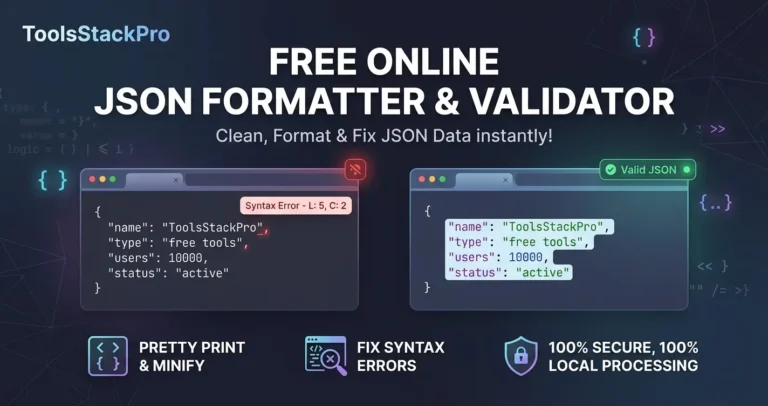
- Free Online JSON Formatter & Validator – Clean, Format & Fix JSON Data 2026
Frequently Asked Questions
Will using this converter alter my text?
No. Our formatting tool relies on gold-standard web parser libraries, including Turndown on GitHub for clean markdown generation and Marked for HTML rendering. It strictly transforms the markup wrapper layer syntax while leaving your core written thoughts, text phrasing, and paragraph copy 100% untouched.
Is my pasted data safe on this website?
Absolutely. All conversion processing pipelines execute locally inside your user interface’s client-side web browser. When you use this HTML to Markdown converter, your inputs, documents, and code structures are never uploaded, tracked, or saved to external databases.
Can this tool handle complex tables and blockquotes?
Yes! Unlike rudimentary tools that often fail on multi-layered layouts, our advanced web utility easily converts nested code structures, structural bullet points, blockquotes, and complex data tables without breaking a sweat.
2 Comments